Hi All - how does one turn off global ‘email notifications’ for updates/comments/posts from the community.stackingthebricks.com ?
I check this pretty frequently as is - thanks!
Hi All - how does one turn off global ‘email notifications’ for updates/comments/posts from the community.stackingthebricks.com ?
I check this pretty frequently as is - thanks!
Hey Katharine,
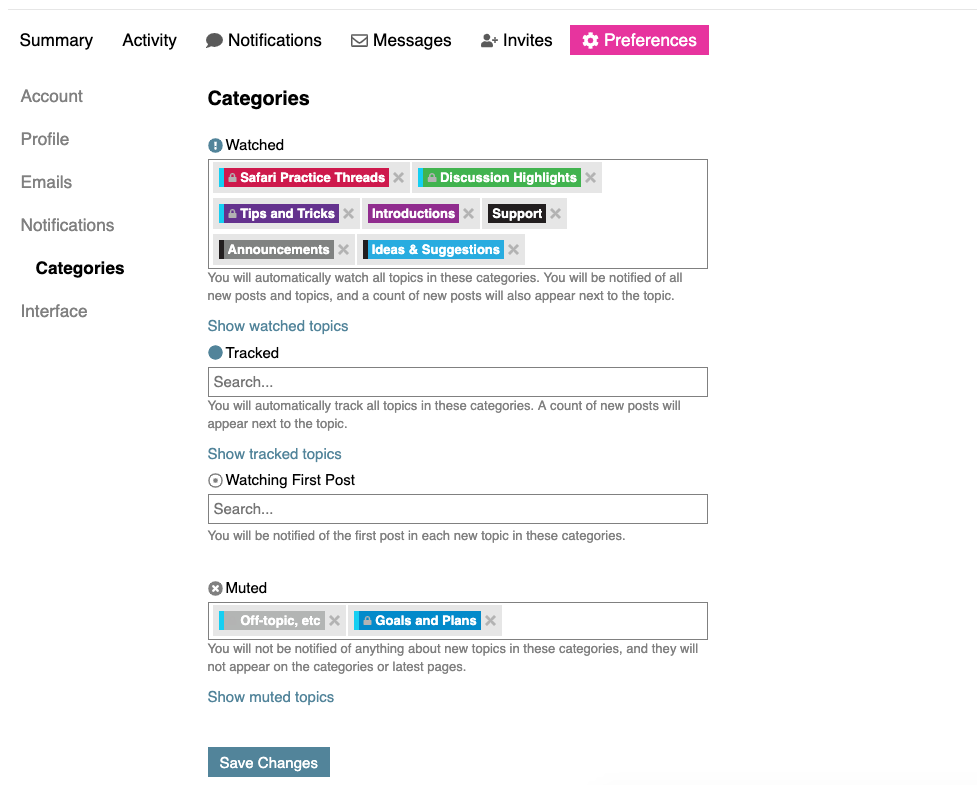
To change your email notifications, you can click your avatar in the top right corner, then the gear, then “Categories” on the left hand side.
You’ll see the screen below, including a list of the default categories that send notifications. You can click the X next to each one you no longer want notifications from.
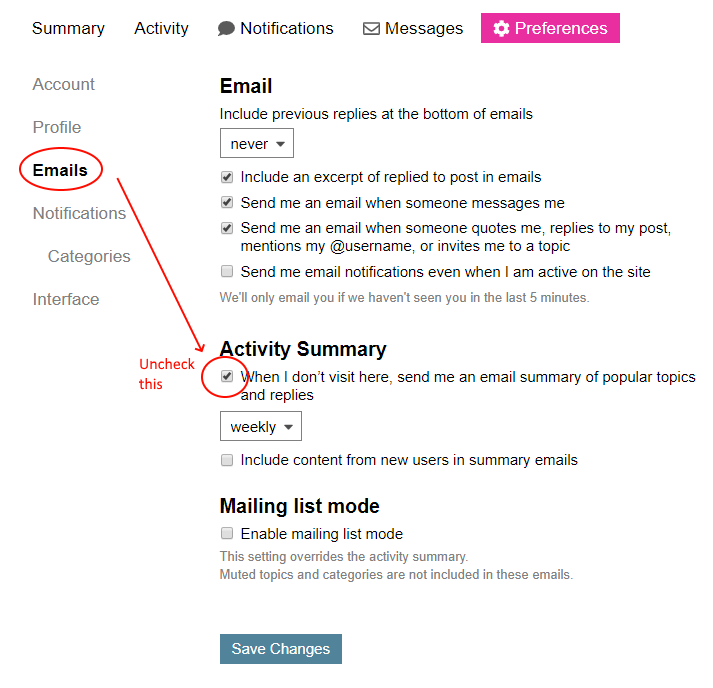
Heads up, with those categories no longer “watched” you will still receive replies to threads that you create/comment on, and if you haven’t visited the forum in a week you’ll get a weekly digest of activity to help you get caught up. You can tweak those settings under the notifications tab, just above the categories option.
Let me know if you have any questions!